Skip to content

Conduit OS · For agents

The CRM our Envoys work in every day, for your own book.

Conduit OS holds your pipeline, your call lists, your calendar and every lead’s history, on your phone and your laptop. Use it on your own, or with Liaison’s Envoys working your leads inside it.

We are opening Conduit OS to a small number of agents first.

Try it yourself

Click through Conduit OS.

A working copy with example people and numbers. Take the tour, or tap around on your own. Nothing you tap here texts or calls anyone.

About 2 minutes Phone or laptop Example data only
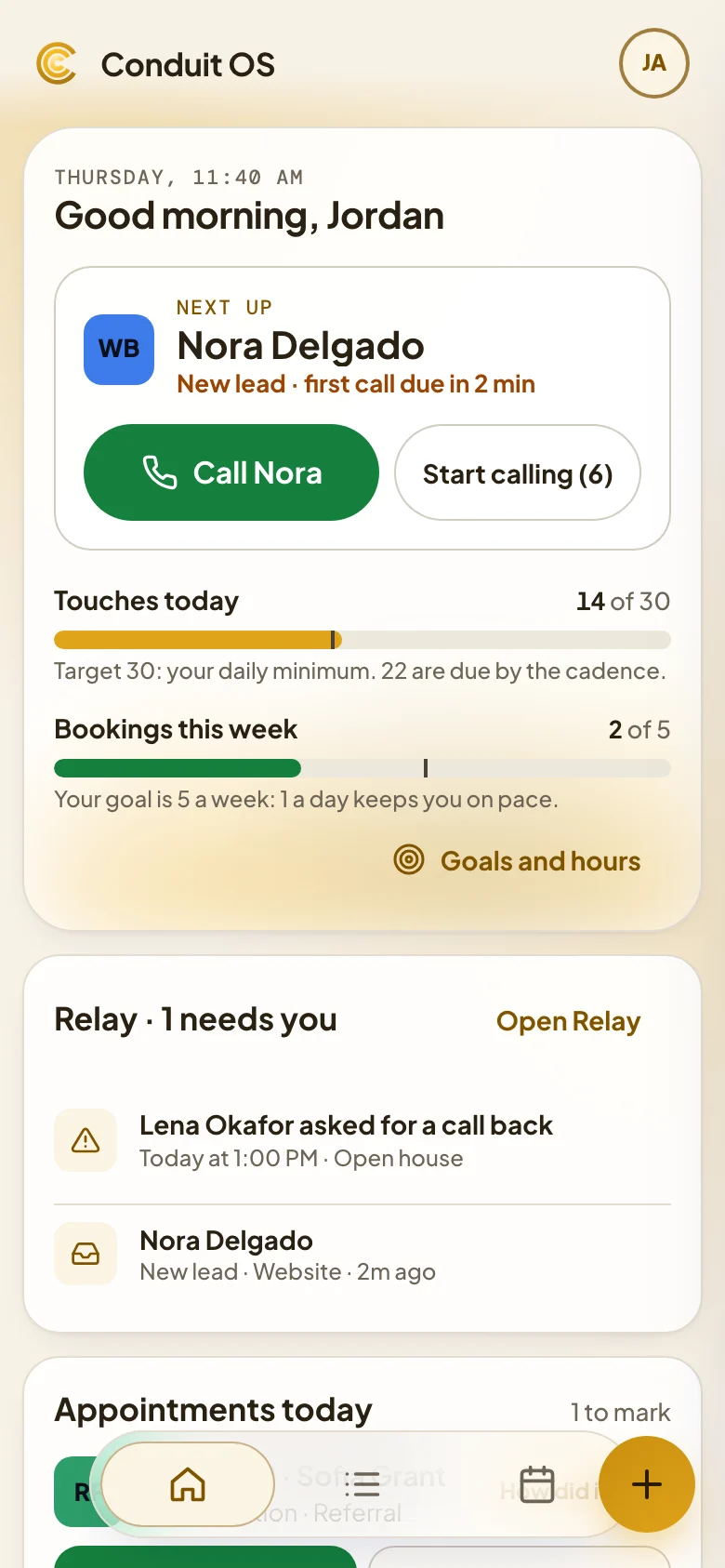
Conduit OS home. Example data.

Conduit OS on a laptop and a phone, with example data

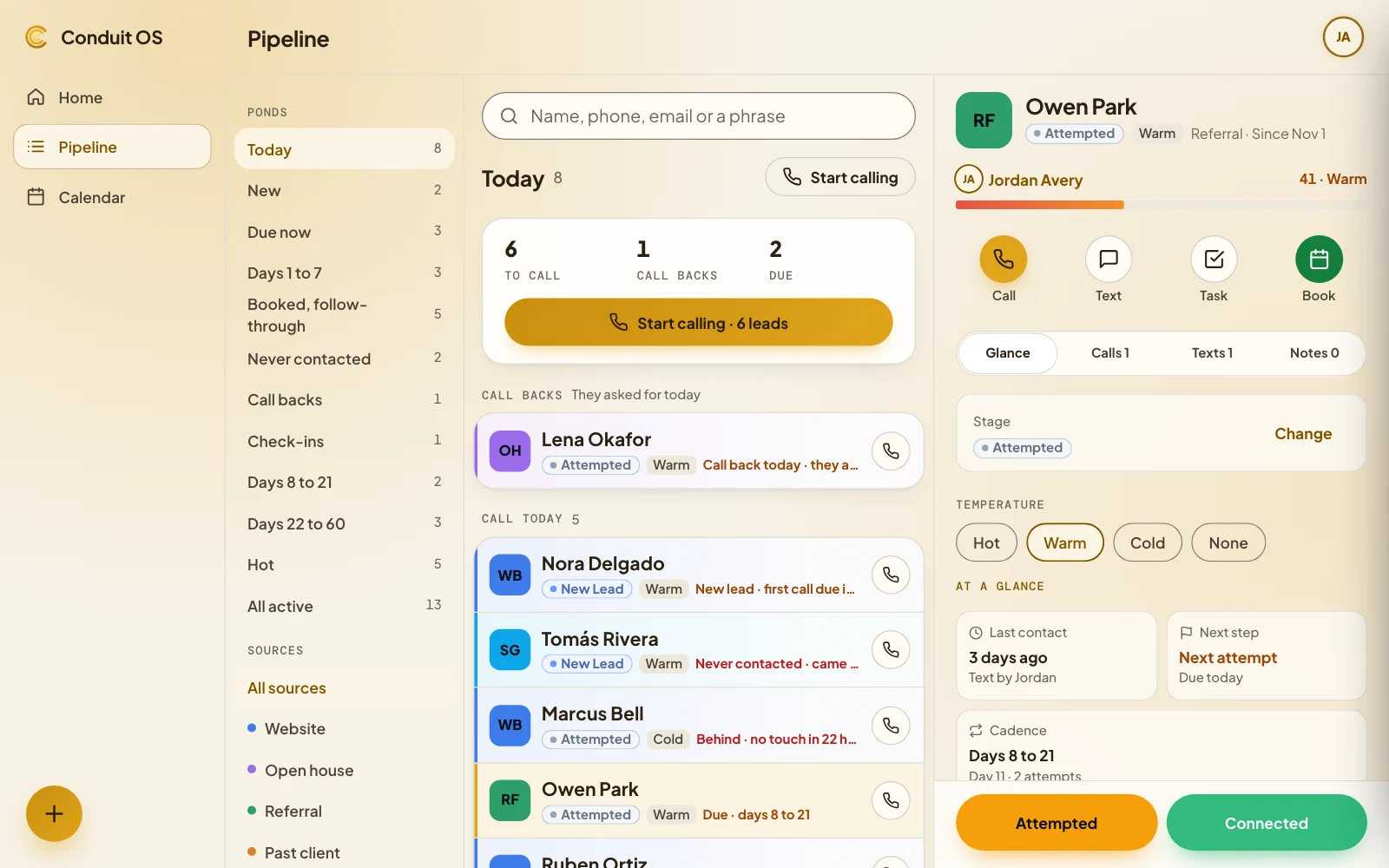
The Conduit OS pipeline on a laptop: ponds down the side, today’s leads with their stage and what is due, and one lead open at a glance. Example data.
The Conduit OS home screen on a phone: who to call next, touches today and bookings this week. Example data.
Conduit OS

Conduit OS on a laptop and a phone. Example data.

Two ways to use it

Your CRM, with or without our team in it.

Start on your own. Add Liaison’s Envoys when you want your leads worked for you. Either way, everything lives in one place.

On your own

Conduit OS is your CRM. Add your leads, work your pipeline, and call and text from your own phone, with every attempt written down where you can find it.

  • Your leads and pipeline, by stage and by what is due
  • Calls and texts from your own phone, logged in one tap or two
  • Tasks, notes and a calendar for every lead

With Liaison’s Envoys

Conduit OS is still your CRM, and an Envoy works your leads inside it. Real people call and text, book appointments, and log every step in the same place you work.

  • An Envoy calls and texts your leads for you
  • Every call, text and booking in the lead’s history
  • A weekly partner plan, billed after the week is worked

Inside Conduit OS

Everything about a lead, one tap away.

The screens you work in, shown here with example people and numbers.

The pipeline

Every lead by stage, split into ponds by what needs you: today, new, due now and each stretch of follow-up.

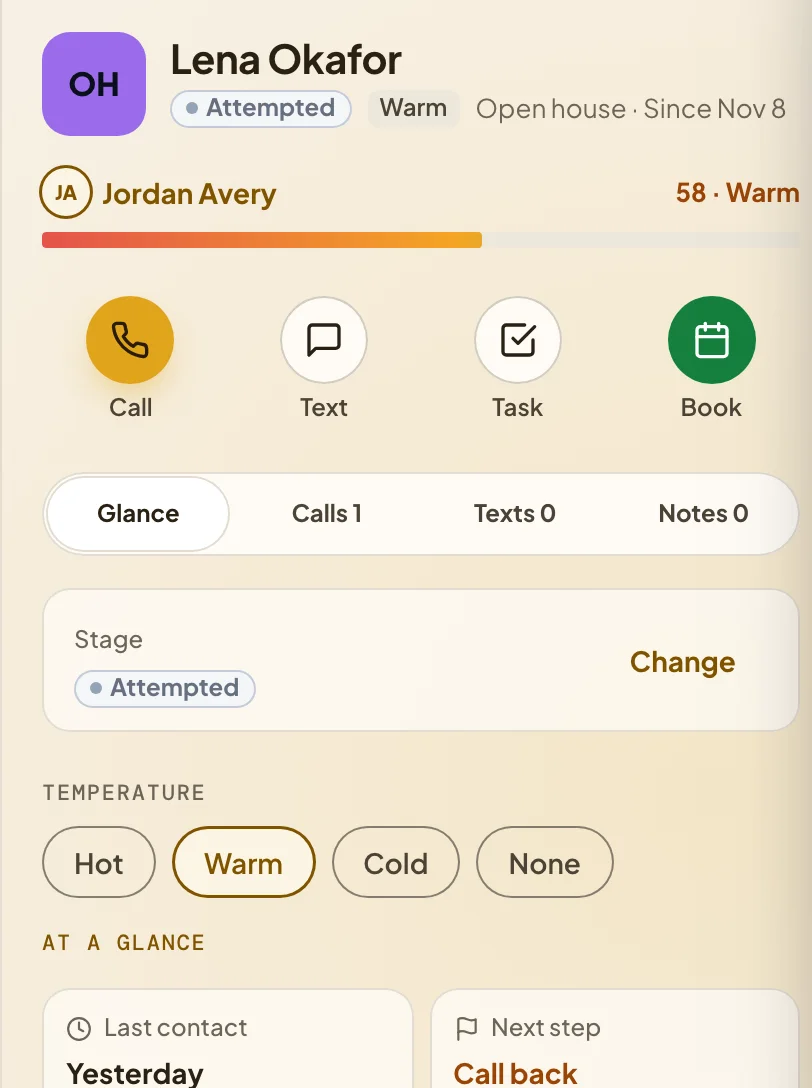
One lead open in Conduit OS, with Call, Text, Task and Book, then the stage, temperature, last contact and next step. Example data.

A lead at a glance

The last contact, the next step and where the lead is in its follow-up, with every call, text and note underneath.

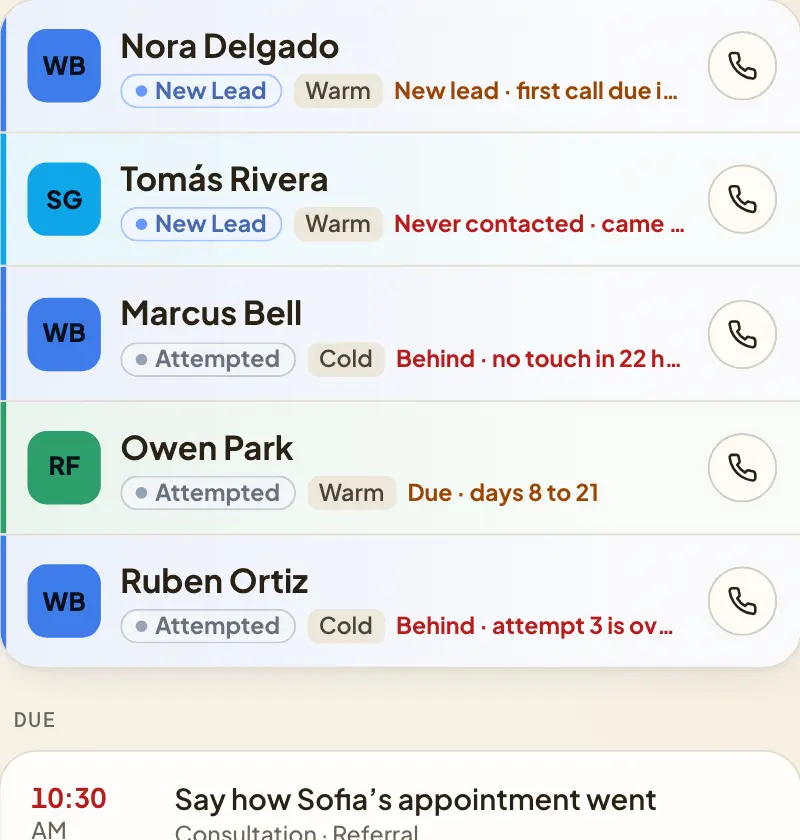
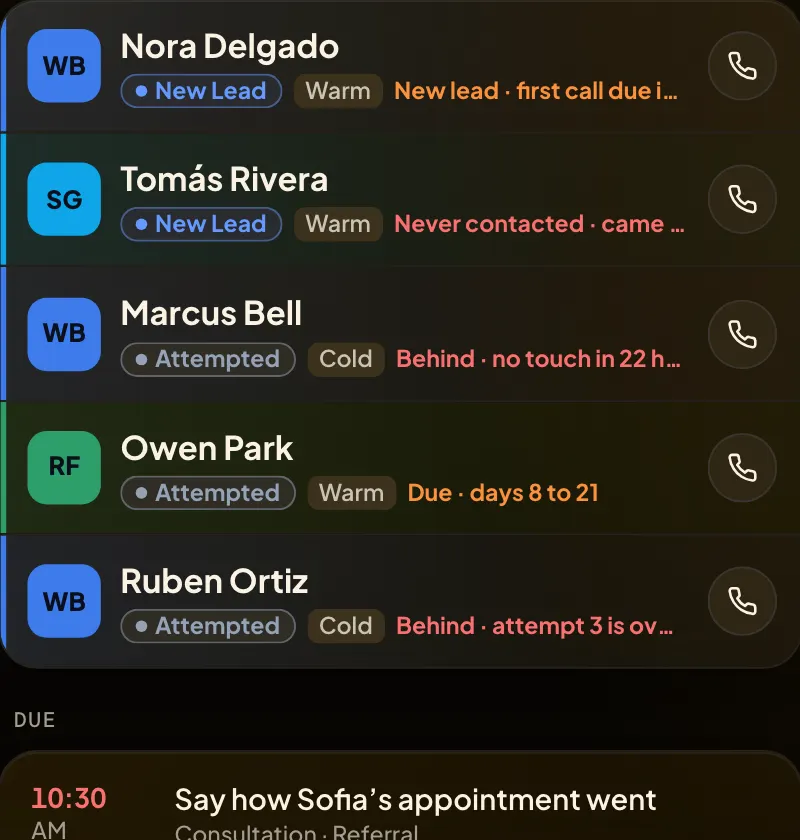
Lead rows in Conduit OS, each with a name, a stage and the next step. Example data.Lead rows in Conduit OS, each with a name, a stage and the next step. Example data.

Call lists

Start calling works through who is due, in order, and keeps to calling hours in each lead’s own area code.

The calendar

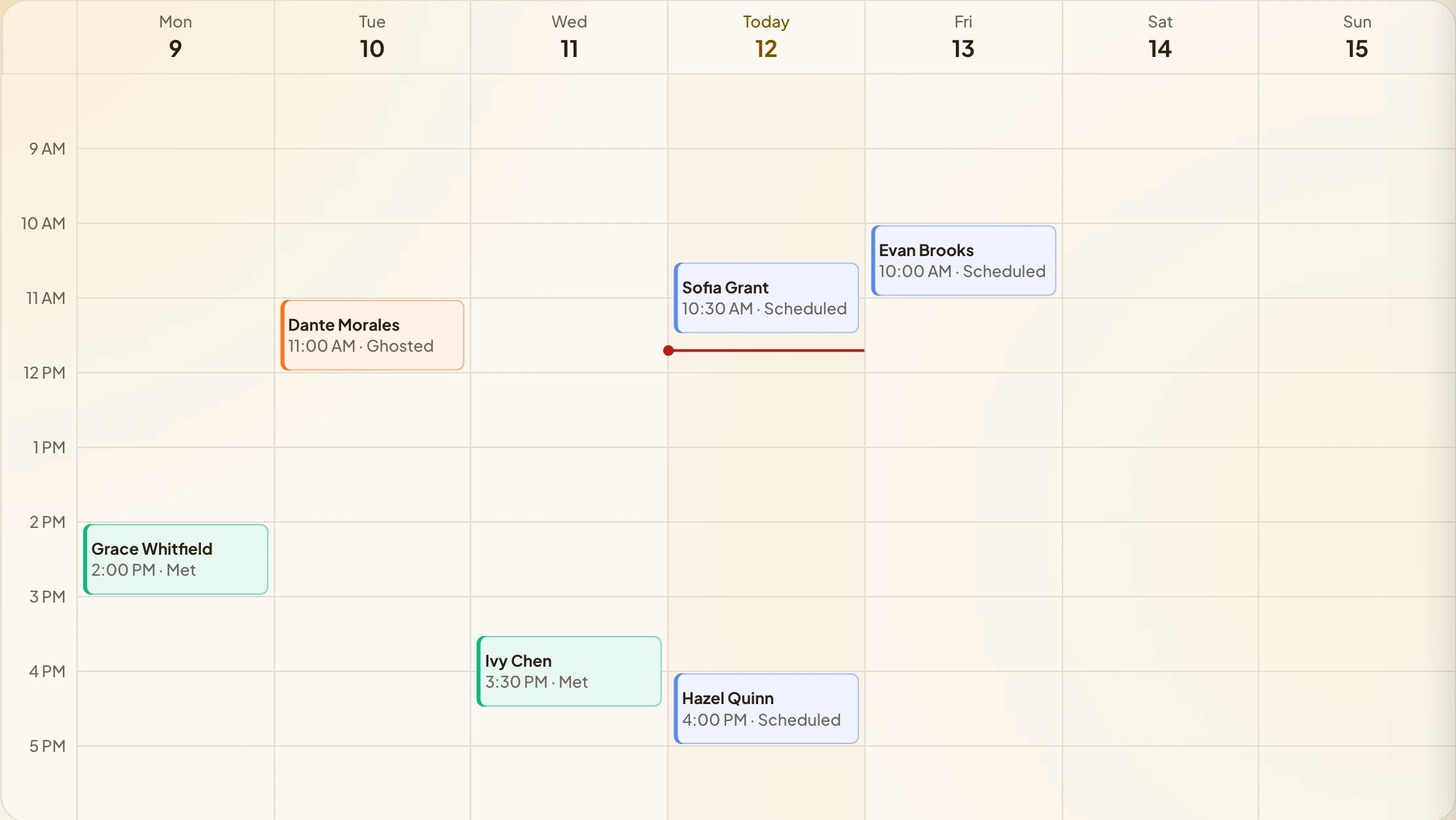
Appointments, call blocks and tasks, in one week, on your phone or your laptop.

A week in the Conduit OS calendar, with appointments, call blocks and tasks. Example data.A week in the Conduit OS calendar, with appointments, call blocks and tasks. Example data.
Phone and laptopInstall it on your home screen. Light and dark, the same on both.
TasksSet a call, text or reconnect reminder, and it lands on your calendar.
One historyCalls, texts, notes and stage changes, kept together for each lead.

Request a walkthrough

See Conduit OS before you decide.

Tell us how you work today. We set up a time to walk you through Conduit OS with example data and answer your questions.

  1. Request a walkthroughA few questions, about a minute.
  2. A short callWe look at how you work today and where Conduit OS fits.
  3. The walkthroughConduit OS on your phone and laptop, with example data.

One short form

Ask for your walkthrough.

It is the same short form that opens the demo, with the walkthrough box already ticked. Fill it in and you can click through Conduit OS while you wait for our reply.

Pricing

One monthly price, agreed before you start.

Your walkthrough call ends with the price in writing. Nothing starts until you agree to it.

On your own

$49a month, or $490 a year

Conduit OS as your CRM: your pipeline, call lists, calendar, tasks and history. $25 a month for each extra user. Setup is $99 on a monthly plan and nothing on a yearly one.

With Liaison’s Envoys

Your partner plan

An Envoy works your leads inside Conduit OS. Plans are a weekly retainer plus per-appointment fees, set in your agreement.

Questions

Before you request a walkthrough.

Who is Conduit OS for?

Agents working their own book of business, on their own or with Liaison’s Envoys working their leads.

Do I need Liaison’s Envoys to use it?

No. Conduit OS works as your CRM on its own. Envoys are an option you can add when you want your leads worked for you.

How do calls and texts work?

They go out from your own phone, and you log each outcome in Conduit OS, so every attempt is in the lead’s history.

Can I bring the leads I already have?

Yes. When we set you up, we load your current list for you.

Does it work on my phone?

Yes. Conduit OS runs in your phone’s browser and installs on your home screen, in light or dark. It works the same on a laptop.

What does it cost?

On your own, one monthly price, set in writing before you start. With Liaison’s Envoys, your partner plan sets the price.

Ready to see it?

Request a walkthrough. It takes about a minute.

A few questions, then we reply to set up a time.